
Approval delegation, a feature in Freshservice, allows you to delegate your approval privileges to your fellow team members. You can set the date and time until when you wish to enable delegation and also add notes or comments to your substitute at that given time.
How to Enable/Disable Approval Delegation
- Click on your name on the top right corner (next to the notification icon), and go to Edit Profile.
Click on Delegate Approvals on the right side corner.
Choose the individual to whom you wish to delegate your approvals to, set the date and time, add notes if required and finally hit delegate.
Once that’s done an email notification will be sent to the person you’ve delegated your approvals to and a notification banner regarding the approval delegation will also be displayed in the admin console.
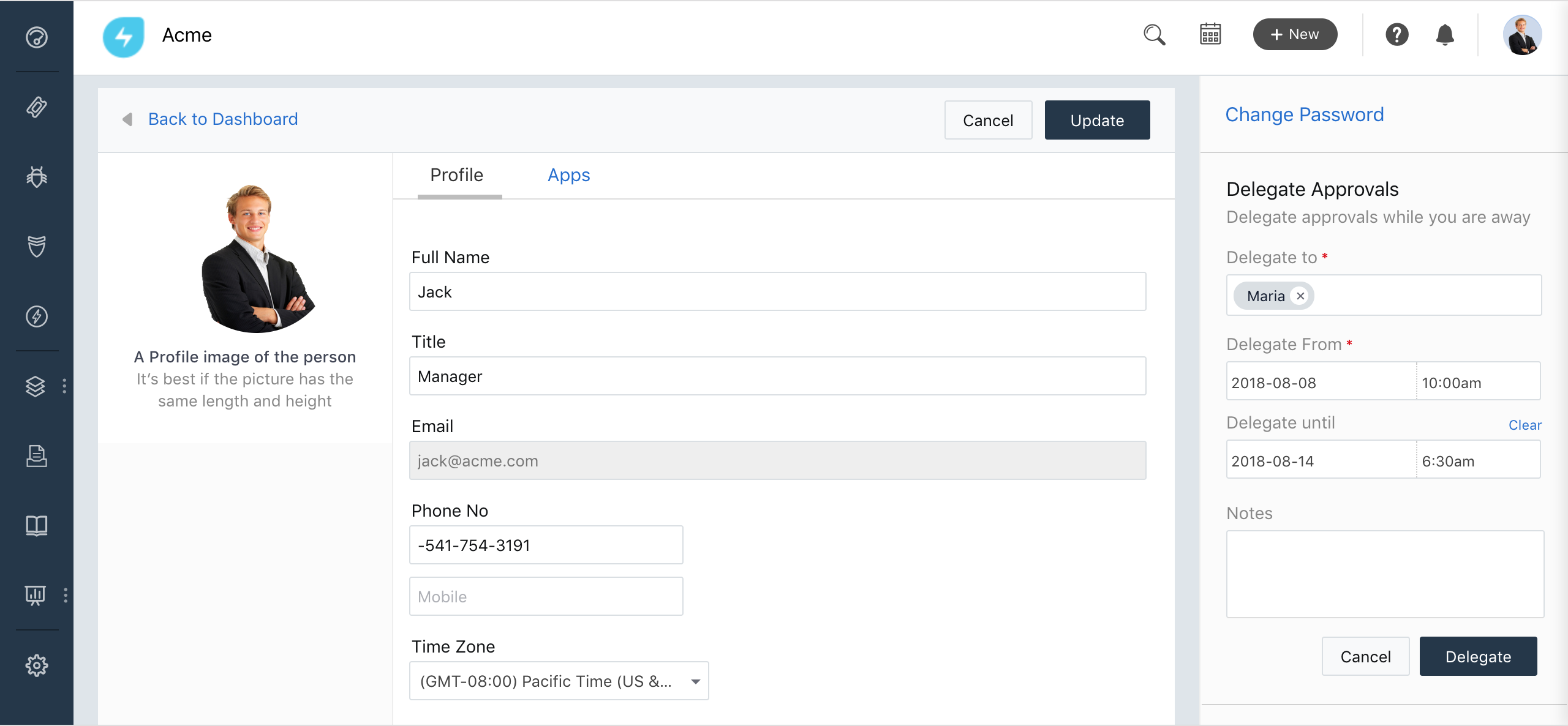
In case you wish to disable your approval delegation, click turn off delegation in the notification banner displayed on the top of your admin console.
You can also turn off delegation from your profile page.

Viewing Approvals
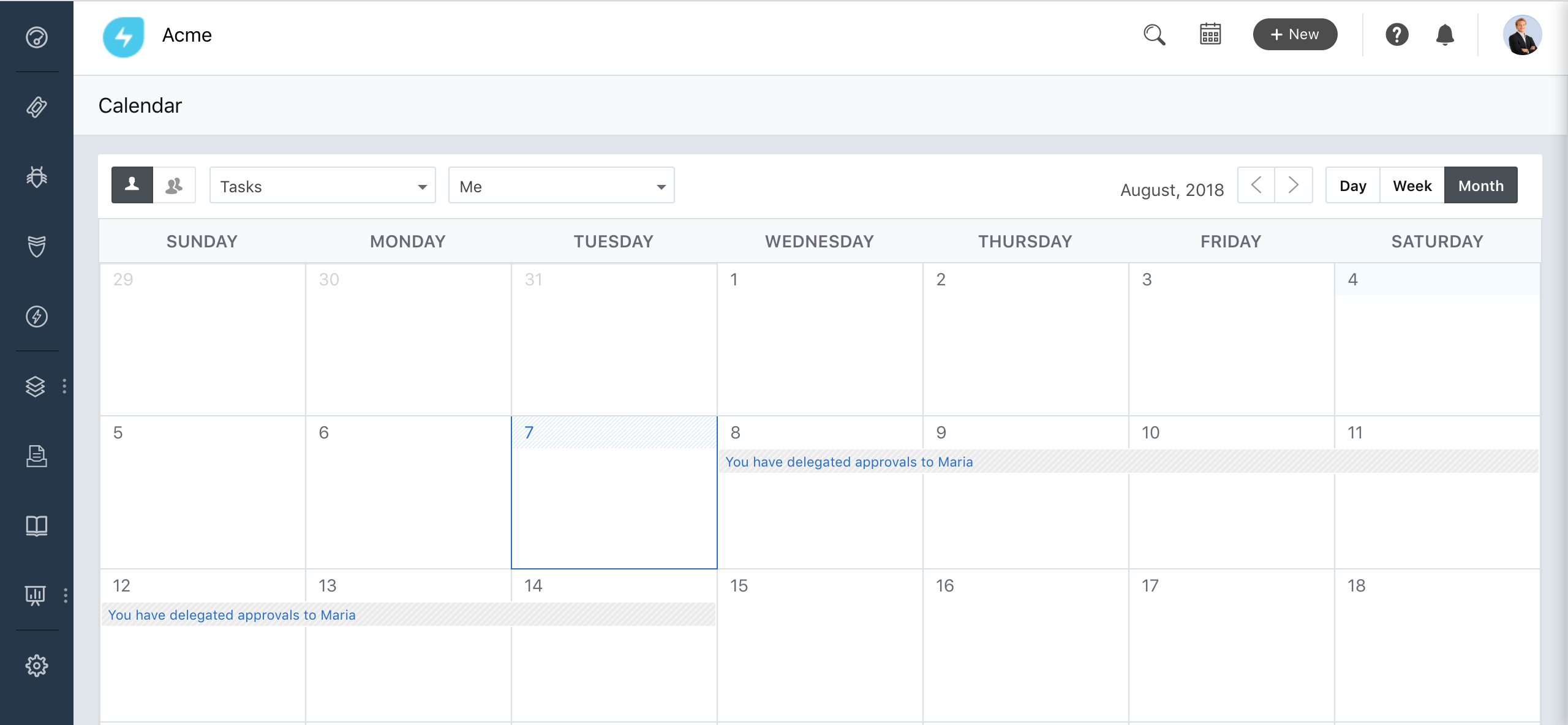
You can view to whom the authority was given to sanction approvals and for how long, under tasks in your Calendar and also under the Approvals tab.
Heads up!
A delegator can delegate approvals to one individual at a time, whereas an individual can be a substitute for multiple delegators
The from date can’t be changed and is mandatory for delegating approvals whereas the end date can be changed and is not mandatory.
In case a request has already been approved/rejected by the delegator then the person delegated to authorize approvals can’t further approve/reject that request.